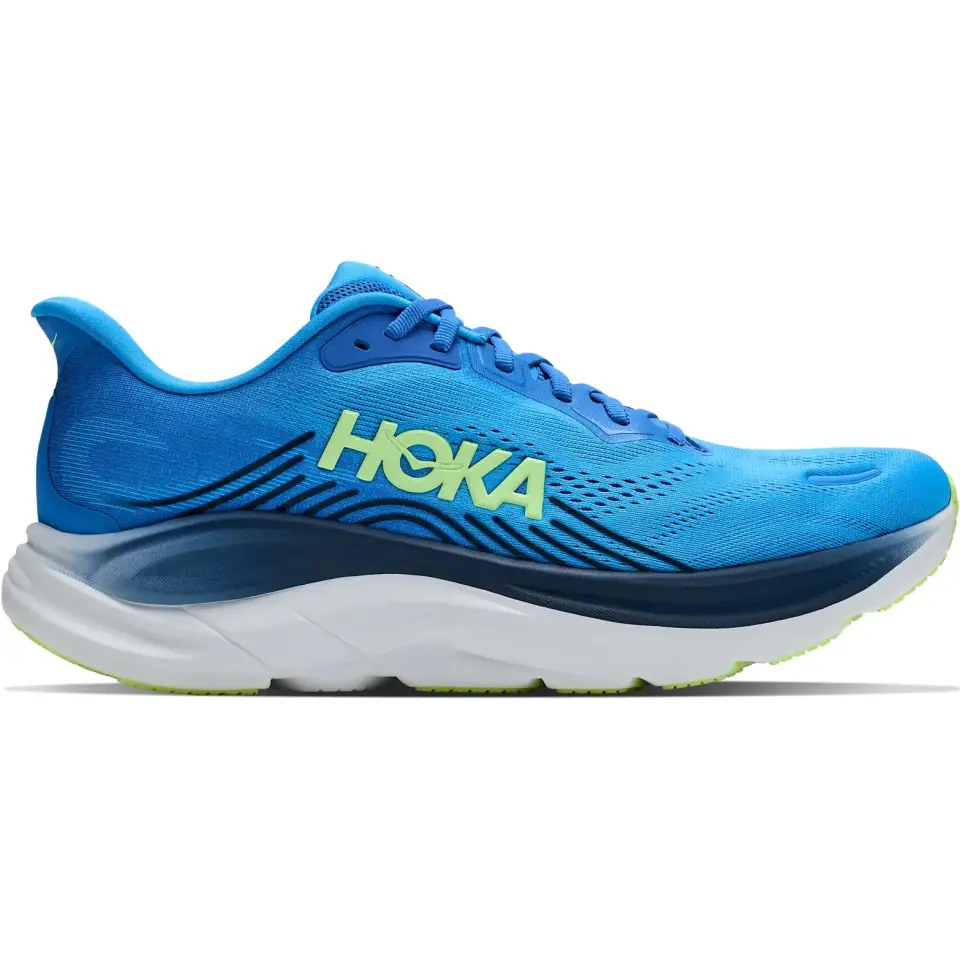
 HOKA Clifton 11
Virtual Blue / UK 9
BigCommerce discovery app
FreshClick Search & Product Filter for BigCommerce
Search, filter, rank, redirect, translate, analyse, and refine large catalogues without forcing shoppers through slow category browsing.
10 daysfree trial
170 reviews
From GBP 24/mostarting price
Category
Clothing42T-shirts12Hoodies18
Colour
Size
XSSML
Price
GBP 20 - GBP 120
Northpeak
Classic Crew Tee
GBP 24.00
Fellside
Box Logo T-shirt
GBP 30.00
Ridgeline
Pocket Tee
GBP 22.00
Northpeak
Heavyweight Tee
GBP 28.00
Fellside
Organic Slub Tee
GBP 26.00
Ridgeline
Ringer Tee
GBP 20.00
FreshClick Search & Product Filter is a BigCommerce app that adds fast search and faceted filtering to category, brand, blog, and search pages, with merchandising controls and analytics for large catalogues. Pricing starts at GBP 24/month, with a 10-day free trial. The app is rated 4.89 out of 5 from 170 marketplace reviews.
Anatomy of a filter
One product carries a dozen filterable values.
Variants, custom fields and metafields are already on your catalogue. Scroll to pull one trainer apart and watch its own values become storefront refinements.
HOKA Clifton 11
Virtual Blue / UK 9
Variant
Colour
Selected: Virtual Blue
Variant
Size
8910
Selected: UK 9
Filter Builder
Width
RegularWide
Selected: Regular
Metafield
Cushioning
BalancedMax
Selected: Balanced
Custom field
Surface
RoadTrail
Selected: Road
Pre-built
Price
60220
Selected: GBP 145
One trainer, six sources of filter data behind it. Every value above is already on the product record.
Overview
Product discovery that feels fast for shoppers and manageable for merchants.
BigCommerce product filtering and Quick Search for category, brand, blog, and search pages, with merchandising controls for large catalogues.
- 10-day free trial with no credit card required
- Category Filter, Brand Filter, Search Filter, and Blog Filter
- Powerful search and filtering with advanced statistics
- Horizontal, vertical, and button / slide-out filter layouts
- Filters from custom fields, product options, metafields, categories, Filter Builder, or 20 prebuilt filters
- Multi-Storefront approved
- Unlimited filters with no filter-count limit
- Compatible with any BigCommerce theme
- Works on any BigCommerce package
- Easy installation with one-click install
- Free bespoke development
- Free support
Capabilities
Every control in the app, grouped the way you set it up.
21 capabilities across search, filter data, storefront display, day-to-day running, and reporting. Pick a group to jump straight to it.
Search
2 capabilitiesHow the search engine finds and ranks products.
Search features
Search engine controls for large catalogues.
The search engine is designed to deliver precision, speed, and customization so customers can find exactly what they are looking for. It combines accuracy tuning, typo handling, suggestions, analytics, query controls, redirects, and merchandising tools.
- Search Precision tuning for the balance between precision and recall, with analyser, fuzzy query, term, and phrase matching controls
- Search Engine 2 relevance controls: Minimum Relevance, Prefer Exact Name Matches, Keep Hyphenated Words Whole, and a Maximum Search Results limit
- Match Whole Words Only, so a search for "pen" no longer returns "penguin", with singular and plural forms still matched
- Nearest Size First on Search Engine 2: a search such as "1.5 urchin" ranks products by how close their size is to the one typed
- Search Engine 2 results grouped into exact matches first, then alternatives
- Spell Check that accommodates misspellings and slight variations by creating small query-term variations
- Zero-result searches retried with a confident spelling suggestion, and the results page says so
- Search Suggestions that show relevant suggestions while shoppers type
- Search across product names, SKUs, categories, pages, brands, and blog posts
- Exclude Products so out-of-stock, discontinued, or irrelevant items do not appear in search results
- Exclude Category Products to remove every product from selected categories from search
- Manage Categories to hide specific category groups from search results
- Search Queries dashboard with query frequency and date-range analysis
- Search Keywords for adding extra product keywords that improve visibility
- Search Query Control to hide specific products for specific search terms
- Search Priority to promote chosen products to the top of selected search results
- Search Analytics for term performance, zero-result terms, and what shoppers tried next
- Zero Search Results reporting with an end-of-day summary email
- Priority Categories that lift chosen categories in App Search and AI Search results
- Direct SKU Search that redirects automatically when a searched SKU matches a product, plus an SKU matches first ranking setting
- Recent Searches next to the search results list
- Redirects that send chosen search queries to any page, and a zero-results redirect for every search that finds nothing
- A contact line shown above the results for question-style searches
- Synonyms so searches like iOS can return Apple results, with multi-word synonyms matched as phrases
- Ignore Words for words such as and, to, or this
- Custom work for stores that need search behaviour or result display modified
Search layouts
Quick Search modes for different storefronts.
Quick Search Mode sets what shoppers see while they type, from an immersive full-size popup to a streamlined compact dropdown. Optimised Dropdown is the modern default, with products, categories, suggestions, and optional trending searches.
Search layouts
5 shown
Choose the result experience
Optimised Dropdown
Products, categories, suggestions, and optional trending searches
Full Size Popup
Opens search in a large overlay that takes over the screen
Big Dropdown
A wide dropdown with larger result cards and more spacing
Compact Dropdown
A smaller dropdown focused on the most relevant matches
Two Column
Live product matches split into two columns inside the dropdown
- Optimised Dropdown: products, categories, suggestions, and optional trending searches
- Full Size Popup: search opens in a large overlay that takes over the screen
- Big Dropdown: a wide dropdown with larger result cards and more spacing
- Compact Dropdown: a smaller dropdown focused on the most relevant matches
- One Column and Two Column for live product matches in a simple list or split across two columns
- Show SKU on the Optimised Dropdown, printing the part number under each name
- A Search in selector beside the search box to scope a search to a top-level category
- Quick Search Off if results should not appear while the customer types
Filter data
5 capabilitiesWhere filter values come from and how they are cleaned up.
Filter sources
Use your product data or build filter data in the app.
Build filters from BigCommerce categories, custom fields, metafields, and product options, from values managed inside FreshClick, or from the standard attributes every store already has.
Filter sources
6 sources
Turn store data into filters
Categories
Category tree
Department
Custom fields
Colour, size, length
Attributes
Metafields
Technical data
Specs
Product options
SKU-level choices
Variants
Filter Builder
FreshClick values
App data
Pre-built filters
Price, rating, stock
Standard
- Category Based Filters create filters from the category structure and can display as an expandable category tree
- Custom Field Filters classify products in the easiest way, such as size, color, or length for clothing stores
- Split comma-separated values turns a custom field such as "Red, Blue, Green" into three separate filter values, off by default
- Filter Builder lets merchants build filters directly inside the app without changing product data in BigCommerce
- Metafield Filters create filters from BigCommerce product metafields
- Product Option Filters use product-level inventory options with SKUs and stock
- Standard Pre-Built Filters include availability, bin picking number, brand, category, category tree, condition, depth, featured products, height, on sale, price, rating, sale percentage, search, shipping, stock, sub category, top level sub category, weight, and width
Unlimited filters
Create as many filters as the store needs.
There are no limitations on the number of custom filters you can create. The page also calls out both built-in standard filters and common custom filters used across different sectors.
- Built-in standard filters: availability, bin picking number, brand, category, category tree, condition, depth, featured products, height, on sale, price, rating, sale percentage, search, shipping, stock, sub category, top level sub category, weight, and width
- Popular custom filters: size, length, colour, shape, width, style, amp, and thread count
- Unlimited custom filters for the store and customer journey
- Filter setup can be tailored to different sectors and product data models
Filter library
No cap
Unlimited filters available
Standard
20
PriceRatingStockBrand +16 more
Fashion
8
SizeColourFitLength +4 more
Technical
6
WidthDepthWeightThread +2 more
Filter Builder
Build filters inside FreshClick without changing BigCommerce product data.
The Filter Builder is for stores that do not already have the product data they need. Add a filter title, fill out values next to each product, and the new filter becomes available on the filter page.
- Create app-managed filter data
- Avoid modifying product data in BigCommerce
- Add a filter title such as Type
- Click any cell to fill a value against a product
- Cells save as you edit, and the filter becomes available on the filter page
Filter Builder
Saves as you edit
Build filter values in FreshClick
3Builder Filters
48Products Shown
1,204Total Products
Color
| Product ID | Product SKU | Product Name | Color |
|---|---|---|---|
| 185 | TS-CREW-01 | Crew neck t-shirt | Navy |
| 184 | TS-CREW-02 | Crew neck t-shirt | Charcoal |
| 182 | HD-ZIP-11 | Zip through hoodie | Navy |
| 181 | HD-ZIP-12 | Zip through hoodie | Click to add value |
| 177 | CP-5PKT-04 | Five pocket chino | Click to add value |
Value Replacer
Merge inconsistent values without changing storefront product data.
Manufacturers often label colours and options differently. Value Replacer lets merchants replace custom field or product option values directly in the app so similar values group together in filters.
- Merge inconsistent custom field values
- Merge inconsistent product option values
- Group similar colours or attributes for a cleaner shopper experience
- Only changes filter data, not product data on the store
Value Replacer
Product data unchanged
Clean storefront filter values
312Visible values
18Saved rules
4Value groups
Product option values
6 results
| Value | Replacement | Action |
|---|---|---|
| Navy | Blue | Save |
| Navy Blue | Blue | Save |
| Light Blue | Blue | Save |
| SM | Replacement value | Save |
Rating integrations
Show product ratings through supported review platforms.
Ratings from these platforms appear alongside search and category results. BigCommerce, Stamped, Yotpo, Fera, Judge.me, and REVIEWS.io also feed the rating filter and the By Review sort; Trustpilot, Bazaarvoice, and WiserReview are display only.









On the storefront
7 capabilitiesWhat shoppers see and how they interact with it.
Filter overview
Help shoppers refine products on category, brand, search, and blog pages.
Research shows many shoppers already know what they want by the time they land on a store. The filter helps them narrow by color, size, rating, price, brand, category, and custom attributes, which can improve conversion rates and sales.
Category
Clothing42T-shirts12Hoodies18
Colour
Size
XSSML
Price
GBP 20 - GBP 120
Northpeak
Classic Crew Tee
GBP 24.00
Fellside
Box Logo T-shirt
GBP 30.00
Ridgeline
Pocket Tee
GBP 22.00
Northpeak
Heavyweight Tee
GBP 28.00
Fellside
Organic Slub Tee
GBP 26.00
Ridgeline
Ringer Tee
GBP 20.00
- Category page filters
- Brand page filters
- Search page filters
- Blog page filters
- Filter by color, size, rating, price, brand, category, and custom fields
- Price filtering and sorting use the tax-inclusive price on the card, in the shopper's chosen currency
- A results count above the grid while a filter is applied
- Filter state and Back and Forward survive a reload
- Designed for large product catalogues and complex product data
Choose your layout
Three filter layouts, each with a live demo store.
Every layout runs on a real BigCommerce demo store. Open one to see how the filter behaves before you install it.
Category
T-shirts12Hoodies18Jackets9
Size
SMLXL
Northpeak
Classic Crew Tee
GBP 24.00
Fellside
Box Logo T-shirt
GBP 30.00
Ridgeline
Pocket Tee
GBP 22.00
Northpeak
Heavyweight Tee
GBP 28.00
Fellside
Organic Slub Tee
GBP 26.00
Ridgeline
Ringer Tee
GBP 20.00
Sidebar layout
Vertical Filter
A classic sidebar filter that sits beside your product grid. Perfect for organised category pages where customers need visible filtering options at all times.
View demo
Northpeak
Classic Crew Tee
GBP 24.00
Fellside
Box Logo T-shirt
GBP 30.00
Ridgeline
Pocket Tee
GBP 22.00
Northpeak
Heavyweight Tee
GBP 28.00
Top bar layout
Horizontal Filter
A clean filter bar placed above your products. Ideal for modern themes that want powerful filtering without taking up sidebar space.
View demo
Slideout layout
Button Filter
A space-saving filter button that opens a slideout panel. Great for stores that want a minimal product grid with filtering available on demand.
View demo- Vertical sidebar filtering, including sidebar creation when the theme does not have one
- Horizontal filters above the product grid
- Slide-out button filters for mobile and minimal layouts
- Vertical layout demo for category pages
- Horizontal layout demo for product grids
- Slide-out filter demo for cleaner category pages
- Selected filter values shown in mobile and slide-out views
- Filter counts that update more helpfully during additive multi-select journeys
Display types
Choose how filter values are presented.
Each filter picks the control that suits its values, from tick lists and price sliders to colour swatches, size blocks, and brand logo grids. The previews below show the v3 storefront styling.
AvailabilityList
In stock128On sale34Featured12
SizeBlocks
XSSML
ColourSwatch
ColourSwatch List
Black42Blue31Green18
BrandLogo
NorthwindAsterPinemoorVerrick
PriceDetailed Slider
GBP 20 - GBP 120
- List for values shoppers tick and untick, each with a result count
- Blocks for short values such as sizes, laid out four across
- Swatch for colour filters, shown as round colour chips
- Swatch List when the colour needs its name and count beside it
- Logo for brand filters, shown as a grid of brand tiles
- Detailed Slider, Min - Max, Price Range, and a Histogram slider for price and custom fields, now the default for price
- Group Values to nest option values under a parent, so ticking 4m ticks every 4m length
- Swatches can be created from custom fields and managed through the app
Filter Refine Bars
Let shoppers search within long filter lists.
Refine bars help customers find a specific value inside a long filter. For example, if there are more than 50 brands, the shopper can search within the brand filter instead of scanning the whole list.
- Search inside each filter
- Useful for stores with large numbers of brands or attributes
- Enabled from the settings page in the filter dashboard
- Speeds up product narrowing for large catalogues
Custom sort order
Arrange filter values in an order that makes sense.
The sort order feature lets merchants manage the order in which values appear on the storefront, so filters can follow a logical shopper-first sequence.
- Manage filter value order from the dashboard
- Download and upload a filter's value order as CSV
- Product Category filter can follow BigCommerce's own category order
- Choose a logical order for shoppers
- Avoid awkward alphabetical ordering where it does not fit
- Improve scanning for sizes, ranges, brands, and product attributes
Sort order
Drag to reorder
Value order
XS
S
M
L
XL
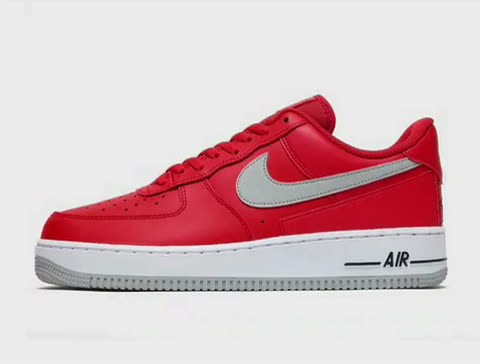
Image Changing
Show matching product images when filter values are selected.
The filter can pick up image changes on product options via SKUs or rules. If a shopper selects black, product images can show the black variant.
- Uses product option images via SKUs or rules
- Shows products in the selected colour or option
- Improves visual confidence for shoppers
- Supports stores with multiple colours and variants
Colour
RedWhiteBlackBlueGreenGrey
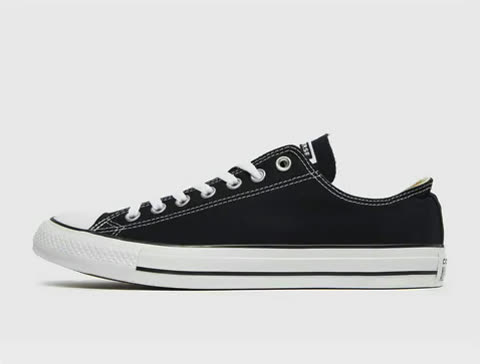
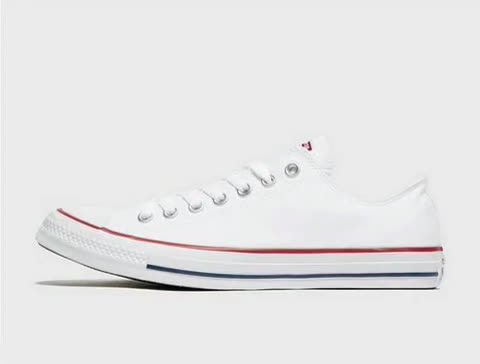 Product option image
Converse Chuck Taylor All Star Ox
Default image: White
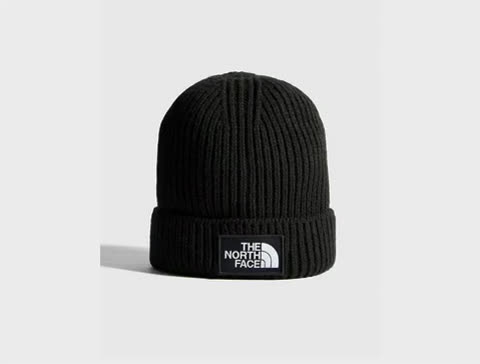
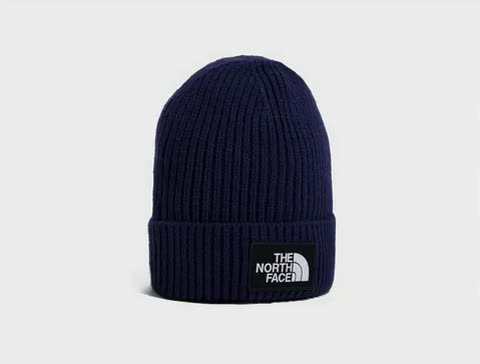 Product option image
The North Face Box Logo Beanie
Default image: Navy
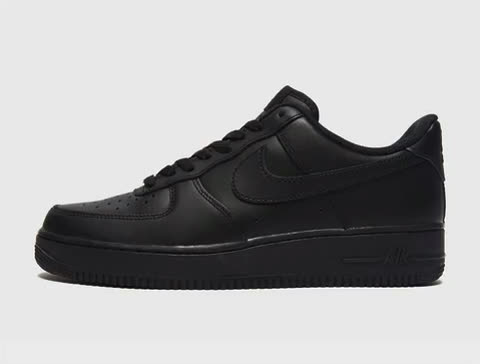
 Product option image
Nike Air Force 1 Low
Default image: Red
Dynamic Filters
Display values based on selected dropdown options.
Dynamic Filters can show varying values based on a dropdown selection, including measurement conversions such as UK shoe sizes to US and EU equivalents or centimetres to millimetres and inches.
- Dropdown-dependent filter values
- Measurement conversion displays
- UK, US, EU, CM, MM, and inch examples
- Flexible presentation for technical products and size systems
Shoe size
UK
67891011
Shoe size
EU
3940.5424344.546
Shoe size
CM
24.825.726.627.528.429.2
Running the app
4 capabilitiesManaging filters across storefronts and languages.
Filter management
Control filters from one central dashboard.
The dashboard shows which filters exist and whether they are visible on the store. Merchants can add, delete, hide, rename, add search bars, and edit filter titles.
Filters
View AnalyticsAdd Filter
Manage storefront filters
#
Filter
Setup
Shopper use, 30 days
Status
1
Brand
#104 · Brand
Standard
Logo
3,412
clicks
▲ +18%
2
Price
#106 · Price
Standard
Detailed Slider
2,987
clicks
— No change
3
COLOUR
#131 · COLOUR
Product Option
Swatch List
2,140
clicks
▼ -6%
4
SIZE
#132 · SIZE
Product Option
Blocks
Not tracked yet
- View all configured filters from one page
- See whether each filter is visible on the storefront
- Add filters
- Delete filters
- Hide filters without permanently deleting them
- Add search bars to filters
- Edit filter titles, and add a tooltip image to any filter title
- Filter Sections group several filters under one named, collapsible heading
- Tick subcategories along with their parent when selecting categories
- Hide Compare Price so cards show only the selling price, with no Was price, sale sash, or percent off
Multi-Storefront
Configure search and filters across BigCommerce storefronts.
The app integrates with BigCommerce Multi-Storefront and lets merchants toggle between stores to configure each search and filter setup.
- BigCommerce Multi-Storefront approved
- Switch between storefronts from the app
- Configure filters and search per storefront
- Useful for stores with regional, brand, or B2B/B2C storefronts
Headless storefronts
Run search and filtering on Catalyst, Next.js, or your own frontend.
BigCommerce only injects Script Manager entries into Stencil pages, so the two scripts the app installs never load on a headless storefront. Template Select hands you the embed tag and the elements to place instead, with the selectors read live from the template you have chosen, so the steps can never describe a setup you are not on.
- Headless storefront setup steps on the Template Select page
- Embed tag pre-filled with the store hash and the channel you are viewing
- Per-page attributes for category id, brand name, and customer group
- A Headless template whose selectors match the markup Catalyst renders
- Filter container, product grid, product card, and sidebar selectors shown live
- Search results served from your own route at /search-result/ with ?search_query=
- Copy button for the tag, and a help request that arrives with your store on it
- A freshclick:productsRendered event fires each time results are drawn, for your own scripts
Template Select
Template: Headless
Headless storefront setup
Add the FreshClick tag to every category, brand and search page
Copy
<script src="https://filter.freshclick.co.uk/assets/client/freshclick-filter-new.js"
  id="fresh_filter"
  data-site="STORE_HASH"
  data-channel-id="1"
  data-cat="CATEGORY_ID"
  data-brand="BRAND_NAME"
  data-customer-group="CUSTOMER_GROUP_ID"
defer></script>Give each page the elements the template expects
-
Filter container
#faceted-search-containerThe filter renders inside this element. -
Product grid
ul.product-gridThe product list the app replaces with its results. -
Product card
li.productGiven to each card the app renders, and used to find cards already in the grid. -
Sidebar wrapper
aside.sidebarUsed when the filter container is missing.
Translations
Translate filter text or connect with translation workflows.
The app includes a language page where merchants can add translations, and it can also link to an existing translation app for automatic translations.
- Language page for manual translations
- Option to connect with an existing translation app
- Supports translated filter labels and values
- Useful for international and Multi-Storefront setups
Translations
Autosaves on blur
Language Translations
Filter Translations
Labels used by refinement panels, sorting controls, and clear actions.
- Refinements Filtros
- Sort By Ordenar por
- Featured Items Destacados
- Newest Items Más recientes
- Best Selling Más vendidos
- By Review Por reseñas
- Refine Search Refinar búsqueda
- Clear All Borrar todo
Product Cards
Button copy displayed on product cards and product result tiles.
- Add to Cart Añadir al carrito
- Choose Options Elegir opciones
- Out of Stock Agotado
Mobile Sidebar
Text shown in mobile filter controls.
- Apply Filter Aplicar filtro
- Back Volver
- Reset Filter Restablecer filtro
Insights
3 capabilitiesReporting on shopper behaviour, plus the add-ons and Enterprise plan.
Filter analytics
See which filters help shoppers buy, and which get in the way.
Filter Analytics reports every filter against interactions, sessions, click-through, the average number of results left after it is applied, and how often it empties the grid. Each row ends in a plain-English verdict, so a filter that is clicked a lot but leads nowhere is visible without reading the numbers.
Filter Analytics
30dExport CSV
Every filter, and how it performs
| Filter | Interactions | Sessions | Click-through | Avg results after | Dead-end rate | Verdict |
|---|---|---|---|---|---|---|
| Brand | 3,412 | 1,204 | 42% | 38 | 2% | Healthy |
| Price | 2,987 | 1,090 | 36% | 64 | 4% | Healthy |
| COLOUR | 2,140 | 902 | 18% | 9 | 21% | High dead ends |
| Material | 121 | 84 | 6% | 52 | 3% | Low engagement |
- Every filter scored on click-through, results left, and dead ends
- Most-clicked filter values, and the values that empty the grid
- Which filters shoppers use together, and how many at once
- Sidebar order compared against what actually gets used
- Filters nobody uses
- Where and when filtering happens
- Export filter values, and export to CSV
Search analytics
See what shoppers search for, and what comes back empty.
Search Analytics reports every term against searches, average results, click rate, and zero-result rate, then flags the terms returning nothing. It also records what shoppers searched next after finding nothing, which is the clearest signal of a gap in the catalogue or the synonyms.
Search Analytics
30dExport CSV
Every search term, and how it did
| Term | Searches | Avg results | Click rate | Zero rate | Verdict |
|---|---|---|---|---|---|
| waterproof jacket | 412 | 36 | 44% | 0% | Healthy |
| merino base layer | 268 | 3 | 31% | 0% | Thin results |
| jacket | 244 | 412 | 12% | 0% | Too broad |
| gore tex | 96 | 0 | 0% | 100% | No results |
What shoppers searched next after finding nothing
gore tex then waterproof jacket
thermals then merino base layer
- Every search term scored on results, click rate, and zero-result rate
- Terms returning nothing, and what shoppers tried next
- Searched a lot but clicked rarely
- Most-clicked products from search
- Rising terms and new terms
- Where and when shoppers search
- Suggestions shoppers picked, and searches that ended without a click
- Every graph shows last week dashed behind this week
- A weekly search and filter summary email every Friday
- Export to CSV
Add-ons and enterprise
Premium add-ons and larger-store support are built into the product path.
Add-ons extend search, merchandising, and reporting on top of any package. The Enterprise plan covers catalogues beyond the standard tiers, with dedicated support and custom work.
- Webhooks add-on for real-time product, inventory, and store updates
- AI Search add-on and Search Playground for comparing search engines
- Custom Sort Order add-on: shoppers sort by SKU, Brand, or Biggest saving, and any of them can be the default sort
- Filter Tags for prominent category-page filter shortcuts, limited to the categories you choose
- User Filter Profile for saved shopper filter defaults
- Enterprise options including a dedicated server, deeper customization, additional search/filter features, webhooks, white-glove setup, prioritized support, daily backups, and free sandbox accounts
Comparison
FreshClick Filter vs BigCommerce Filter
Compare the comprehensive features and capabilities of FreshClick Search & Product Filter against BigCommerce's built-in filters.
Compared in November 2026
| Features | FreshClick Filter | BigCommerce Filter |
|---|---|---|
| BigCommerce package | Any package | Pro package minimum |
| Number of filters | Unlimited | 12 |
| Out-of-the-box filters | 20 | 6 |
| Display types | 7: lists, sliders, histograms, swatches, blocks, logos, and price range | 3: checkboxes, blocks, and price range |
| Custom filter development | ||
| Filter layouts | Horizontal, vertical, and button | Vertical only |
| Recent searches | ||
| Search redirects | ||
| Search synonyms | ||
| Search ignore words | ||
| Search did you mean? | ||
| Filter Builder | ||
| Brand logos | ||
| Value Replacer | ||
| Filter Refine Bars | ||
| Image Changing | ||
| Product Option Merge | ||
| Filter Analytics | ||
| Search Analytics | ||
| Filter from CSV | ||
| Custom Sort Order | ||
| Hide zero values during filtering | ||
| Scroll to the top of products on click | ||
| Internal filter reference |
Ready to upgrade your BigCommerce store's filtering capabilities?
Get started with FreshClickPricing
Search & Product Filter pricing
Service packages are dynamically adjusted based on the store product count so merchants are only charged for the tier that matches the current inventory.
Prices in GBP and USD.
-
Starter
Up to 1,000 products
£24$29
per month
£21.12$25.52
per month, billed yearly
-
Growth
1,001–5,000 products
£64$79
per month
£56.32$69.52
per month, billed yearly
-
Pro
5,001–25,000 products
£119$149
per month
£104.72$131.12
per month, billed yearly
-
Premier
25,001–50,000 products
£159$199
per month
£139.92$175.12
per month, billed yearly
-
Scale
50,001+ products
£239$299
per month
£210.32$263.12
per month, billed yearly
Prices are per month, shown in GBP and USD.
Subscription length options: 1 month with 0% discount, 6 months with 5% discount, 12 months with 12% discount, and 24 months with 25% discount.
Automatic upgrades or downgrades are applied as inventory changes.
Case studies
How stores use Search & Product Filter
Two stores that published their experience on the BigCommerce marketplace.
Simpler search for a menswear store with many sizes and colours
Vavra’s sells men’s suits, dress shoes and accessories. Shoppers filter by manufacturer, size and colour, and Value Replacer merges odd colour names such as “Fuchsia Pink” into “Pink” and tidies the long list of suit sizes. The team also singled out FreshClick’s support during setup.
“FreshClick is a must have for any website that has multiple choices”
Ge’Lena Vavra
Measurement filters for 150 near-identical parts
Tap-Cartridges stocks over 150 types of tap cartridge, many of which look identical. Customers take key measurements using the store’s guides, then use the filters to narrow the range to a few options before checking exact sizes on the product page.
“we are in no doubt that it is our key unique selling point”
Tap-Cartridges.com
Reviews
What customers say about Search & Product Filter.
158 of 170 BigCommerce marketplace reviews give it 5 stars. Below are recent 5-star reviews, in the reviewers' own words.
Powerful App and Great Support
This app has been an excellent upgrade to the basic search included with BigCommerce. There are so many options we're still learning about them. Any problems are quickly resolved by customer support.
Great Functionality and Customer Support
The app is superior to standard BigCommerce search and filter native functions, and it comes with many customisation and regular new features. Any minor bugs caused by the complexity of our catalog are handled efficiently by their support team.
Does the job, and customer service is excellent
This app accomplishes exactly what we need, and any time we've had to reach out to customer service for assistance, we received quick responses and timely resolutions. Highly recommend!
FreshClick… Support That Delivers!
After 5+ years of using FreshClick, we noticed a couple of gremlins had crept into our BigCommerce product filter, and FreshClick’s support team were excellent in getting everything sorted.They responded promptly and provided clear, step-by-step instructions for the script changes needed. No need to be a web developer or IT expert to follow along!They were also patient when I was slow to respond, following up politely to make sure the issues were fully resolved rather than simply closing the ticket.Everything is now working as it should. Really impressed with FreshClick’s support and happy to recommend them!
Lots of capabilities, quick support
App has way more capabilities compared to Bigcommerce's native search. Sometimes glitches appear but their support team is very quick to respond and fix issues, usually get a response and a solution same day.
Filtering the catalog
FreshClick has been a great fit for our antique rug gallery. We have a large, highly varied catalog, and the custom field filters let us build exactly the navigation our customers need — size, color, origin, weaving center, and more — without needing a developer. The Filter Builder and Sort Order tools gave us the flexibility to fine-tune everything ourselves. Solid app, would recommend to any BigCommerce store with a complex product catalog.
Very good
Does what I need to it to and does it well. Support is easy to work with as well.
Best of everything - functionaliy & Support
FreshClick Search & Filters is checks all the boxes for an excellent App. Easy to install, features that you need, top notch support to implement and understand to maximize utilization and when you need enhancements they listen. A product that delivers what they promise.
Great App - A must have
The app is pretty great out of the box, with a few tweaks that you may have to do, depending on how exotic is your theme, although it covers a great deal of themes from the onset. But I find their Support to be outstanding! Any question you may have, or ticket you may submit is answered promptly and professionally. Support remained "holding our hands" until we were satisfied with the end result. That is priceless!
Great Inexpensive Full Featured Filtering Software
We have a several websites, some more robust than others, so we have experienced alot with filtering over the years. This website is our newest, needed something less expensive, easy to install. This software is full featured, endless options, ability to adjust, and was easy to install and get up and running. Because of all the features, it has taken some "playing around" to dial in and get optimized, but having the options to adjust, change is great!
Great product with great support
When things go wrong they fix it quickly.
Helpful Support TEam
The FreshClick team has always been helpful in their support to my team. The filters are easy to use with lots of customization. We appreciate this app and look forward to our continued use.
Excellent Search App
Excellent BigCommerce app for all things search, including filters and redirects, with equally excellent customer support – thank you, FreshClick!
Best Customer Service!
We have been using this app for almost 2 years and so far we have been very happy! It does exactly what we need it to, and it fills the gap of what Big Commerce native filtering cannot do. The customer service is incredibly responsive (always within 24 hours or less) and has never failed to help me get the look and functionality we need out of filtering. We are a very small business with very wide range of technical products (hence many levels of filtering) and I am not a developer, so their help has been everything to us.
Excellent customer service and product
I have to say FreshClick has been an amazing addition to our e-commerce store. It allows our customers to seamlessly filter products. I also wanted to mention the customer service from FreshClick has been superb.
great experience and support
respond fast to any issues and fix them quickly. filters are great and versatile. thank you!
Great App, Great Customer Service
The app is highly customizable to our needs and customer service is always ready to help in a timely and efficient manner whenever we have any questions and concerns. Keep it up and thank you!
A Lifesaver for Anyone Looking to Add a Filter
This app is a lifesaver for anyone looking to add a filter to product pages in BigCommerce without forking out for the top-tier plan. I was wrestling with the decision to upgrade, as the pricing jump is steep and hard to justify, especially if you don’t need all the bells and whistles. After discovering this app, I gave it a shot and was thrilled with how smoothly it integrates. It’s straightforward and intuitive, delivering exactly what’s promised without the hefty subscription cost. Perfect for stores with smaller product catalogs! Highly recommend if you’re after a quality solution on a budget.
Great App, Great Customer Service
I don't know that there is any better solution for this on the BigCommerce platform. It works great, very versatile, and customer service will help you set it up however you want quickly.
great app and service
Set up was quick but I had a couple issues- they were resolved very quickly. Support is super responsive. Very pleased with the functionality.
Excellent App & Customer Service
Really good app and even better customer service. My filters were showing up correctly, it was custom coded and fixed within 24 hours. Outstanding. Lots of options for filter customisations. Very happy.
Best filter app!
After trying several app, FleshClick offers the easiest to install/configure and effective filtering add-on. Their customer service is prompt and efficient, amazing!!
Great Filters and Search
The BG Filters stopped working correctly so we gave these a try. They work so efficiently and have more options that you can configure. The customer support is beyond anything I have experienced. Every single request is attended to immediately. This was a great choice for us.
Incredible
Incredible! Support is outstanding as well. We also now have the Download app
FAQ
Common questions
Is a credit card required to start a free trial?
No. You do not need to enter payment information to start a 10-day free trial. Payment is only required if you continue after the trial.
How are products calculated in pricing packages?
Each product counts as one product towards your package. If a product has multiple product options or SKUs, it is still classed as one product, so variants do not push you into a higher package. Automatic upgrades or downgrades are applied as your inventory changes.
Do I need to be on the BigCommerce Enterprise plan to use this filter?
No. The filter works with any BigCommerce plan and is compatible with all templates, including Stencil and Blueprint themes. It has a one-click install, and you can start the 10-day free trial without entering payment information.
Does a headless storefront still need a BigCommerce store?
Yes. The embed tag carries your store hash and a BigCommerce storefront channel id, product links use the URLs set on each product in BigCommerce, and Add to Cart links go to BigCommerce's cart endpoint. What a headless frontend removes is the Stencil theme and Script Manager, not the BigCommerce catalogue behind them.
Does the filter re-run when my frontend changes route?
No. FreshClick starts when the page loads and does not restart on client-side route changes, so each category, brand, and search page needs a full page load.
Can I select a headless channel in the app?
Not yet. Headless channels are not listed in the channel switcher, so point the embed tag at a BigCommerce storefront channel, which is what the tag on the Template Select page is pre-filled with.
Do Manage Scripts and Automatic mode work on a headless frontend?
No. Manage Scripts installs the tag on BigCommerce storefront channels only, and Automatic reads product cards from your BigCommerce theme. On a headless frontend you place the tag and the elements yourself, using the steps on the Template Select page.
What template is the filter compatible with?
The filter is compatible with all templates, including Stencil and Blueprint themes. The app has an automatic select feature during installation, and support can add renamed or missing templates.
What do I do if I do not have a sidebar on my category page?
The app can automatically add a sidebar. Once the filter is installed and your theme is selected, the filter displays on the category page. The horizontal, vertical, and slide-out layouts are available if you prefer a different position, and support can help if the page still does not show the filter.
Can FreshClick help add the filter to my store?
Yes. The filter has a one-click install feature. Scripts are injected into the store, and once the theme is selected, the filter displays. If a template is renamed or missing, support can add it, and you can contact FreshClick support with your BigCommerce store details for setup help.
I have updated or added products. Why is the filter not updating?
The filter checks for store updates every 24 hours. If you cannot wait, use the Force Update button on the dashboard. It can be pressed once per hour.
I changed the template on my store and the filter no longer displays. What should I do?
Log in to the filter, go to the installation page, and select the new template. The filter then displays again on your store. If the new template is renamed or missing from the list, contact FreshClick support, who can add it.
Can customers use multiple filters at the same time?
Yes. The app supports multi-select filtering, so shoppers can choose more than one value and see updated counts for the values they have selected. The horizontal, vertical, and slide-out layouts all include mobile-friendly behaviour, so this works for shoppers on phones as well.
Is it mobile-friendly?
Yes. The horizontal, vertical, and slide-out layouts include mobile-friendly behaviour. Mobile slide-out filtering was added in the May 2026 update, so shoppers on phones can open the filters in a slide-out panel and refine the products on the page.
Product changelog
Recent product updates
The most recent 6 releases, straight from the app's own change log.
- ADDEDA new capability you can switch on.
- IMPROVEDSomething you already use, working better.
- FIXEDA bug we corrected.
- CHANGEDExisting behaviour now works differently.
27th October 2026
-
FIXED
Storefront rendering corrections
A set of corrections to how search results and product cards are drawn on your storefront.
-
IMPROVED
Faster, steadier performance
Background work on speed and stability so your store's search and filters stay quick under load.
-
IMPROVED
Billing page accuracy
Your plan, add-ons and totals are shown more accurately on the billing page.
-
IMPROVED
Security and reliability hardening
Ongoing background improvements to keep your store's data safe and the app stable.
27 more updates in this release, listed in full on the Change Log page inside the app.
7th September 2026
-
ADDED
Headless storefront setup
Run search and filters on a headless storefront, whether it is built on Catalyst or on a frontend of your own. Open Template Select and choose Headless storefront setup to see the steps. It gives you the tag to place on your category, brand and search pages, the page elements your chosen template expects and the address of your search results page, all filled in for your store and ready to copy. Shoppers on your headless site then get the same filters, product cards and search results as on a standard BigCommerce theme.
-
ADDED
Your theme's own product cards
Search and filter results can now be built from the product cards your own theme draws, so they match the rest of your storefront. Turn it on from the Template Select page: choose Automatic and it reads your storefront and applies the card design it finds. Shoppers then see the same layout, badges, ratings, prices and buttons on filtered and searched results as they do on your category pages. Your cards are read again after each sync, so a theme change carries through on its own instead of you picking a template by hand.
-
ADDED
Copy settings between storefronts
If you run more than one storefront, you can copy a storefront's search and filter configuration onto another instead of setting it up twice. Open Copy Configuration from the Settings menu, pick the storefront to copy from and the one to copy to, then choose what to bring across. The storefront you copy onto keeps serving shoppers throughout, and picks up the copied settings on its next search and filter requests.
-
ADDED
Redirects from zero-result searches
You can send a search term that returned nothing to a page of your choosing, straight from the report that tells you about it. Open Zero Search Results, find the term, and set its destination there without moving to another page. A shopper who types that term next lands on the page you picked instead of an empty results page. Destinations set this way sit alongside the ones on the Redirects page.
33 more updates in this release, listed in full on the Change Log page inside the app.
13th July 2026
-
IMPROVED
Faster filter clicks
Instant prefetch and smarter debouncing so filters respond the moment they are tapped.
-
IMPROVED
Lighter, faster storefront
A smaller filter bundle with quicker boot and cacheable settings for noticeably faster page loads.
-
IMPROVED
Much faster product syncs
Parallel fetching and delta syncs that only update what changed, cutting sync times significantly.
-
IMPROVED
Faster search
Quicker results, especially for short search terms and uncached lookups.
42 more updates in this release, listed in full on the Change Log page inside the app.
12th June 2026
-
ADDED
Filters
Added Version 3 Modern Filter Styling, homepage filtering, dark-mode support, Lazy Load / Load More pagination, category suggestions, product preview limits, and review-star support in the Optimised Dropdown.
-
ADDED
Product Sync
Added Pages as a syncable data set, page body syncing for richer search results, and a metafield setting to split comma-separated values into separate filter options.
-
ADDED
Ratings
Added Fera as a selectable ratings provider with rating syncing and storefront rendering.
-
ADDED
Product Cards
Added product image gallery sliders, product-card badges (Best Seller, New, Featured, Sale, and more), and hover-image controls.
9 more updates in this release, listed in full on the Change Log page inside the app.
5th May 2026
-
IMPROVED
System Wide
Made behind-the-scenes improvements to keep the app more reliable and secure.
-
IMPROVED
Cache
Improved cache clearing reliability and added better diagnostics so cache issues can be identified faster.
-
IMPROVED
Search Results
Improved how sorting and pagination work on search result pages, especially when filters are also active.
-
IMPROVED
Option Convert
Made it easier to clean up or rename option and custom field values used in filters. Go to Option Convert / Value Replacer.
20 more updates in this release, listed in full on the Change Log page inside the app.
20th April 2026
-
ADDED
Our Fastest Search Yet!
<p>We�ve launched a new Optimised Dropdown search with faster live search performance, smarter request caching, improved lazy loading, blurred background focus, cleaner trending-style category tags, store-specific inspiration and trending fallbacks, and intelligent spell check plus automatic corrected-result fallbacks for misspelled searches.</p><p><img src="https://filter.freshclick.co.uk/assets/images/optimised_dropdown.png" title="Optimised Dropdown Search" /></p><p>To enable this, go to <strong>Search > Search Settings > Display & Layout Options</strong> and select <strong>Optimised Dropdown</strong>.</p>
Talk to FreshClick about Search & Product Filter.
For setup, app evaluation, or theme-specific questions, contact FreshClick support with your BigCommerce store details.