• Documentation
  • FAQ’s
  • Documentation
  • FAQ’s

Product Quotes

home/Documentation/Product Quotes
  • How to install the app.
  • Template Selection
  • Quote Status’s
  • How to view individual quotes
  • Account – Manage users
  • How to create a Quote

How to create a Quote

1614 views December 3, 2019 admin 0

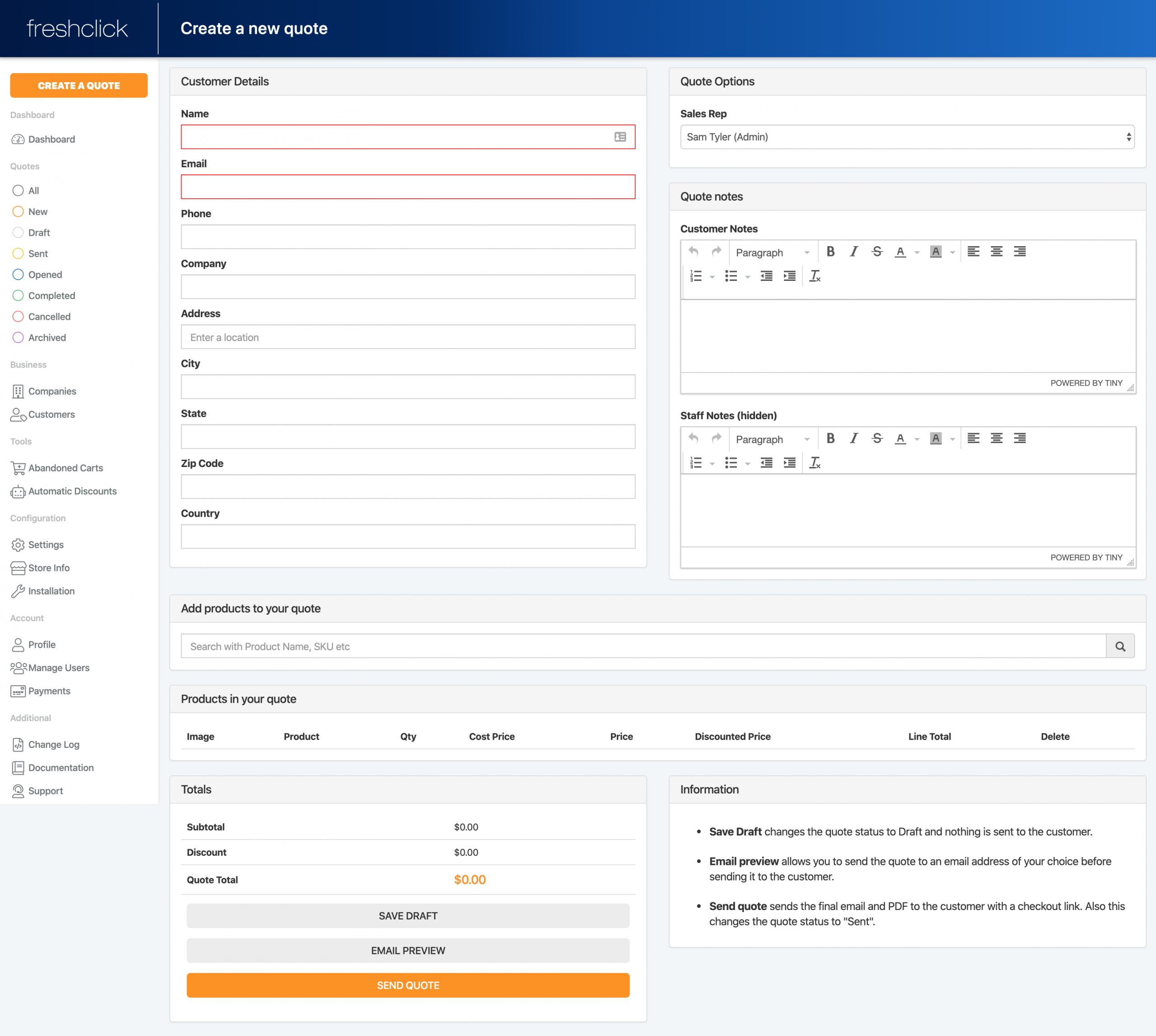
Once logged into the Quote system click on the ‘Create a quote’ button on the top left hand side of the dashboard. This will take you to a new page. Here you can input all necessary information to create a quote for a customer. This includes:

  • Customer personal details ie, name, contact details, company, address
  • Sales rep dealing with the quote
  • Additional notes for the customer
  • Additional notes for staff only to see
  • Add products to the quote
  • Modify the number and price of goods in the ‘Products in your quote’
  • View all totals including costs and product numbers
  • You can then save, preview (send to a staff email) or send the quote to the customer
Related Articles
  • Account – Manage users
  • How to view individual quotes
  • Quote Status’s
  • Template Selection
  • How to install the app.

Support staff monitor the community forum and email 9 AM - 6 PM, Sunday to Friday. Please be patient when posting an issue as staff may not be in the same timezone as you.

© 2018 <a href="http://wpsmartapps.com">wpsmartapps.com</a>. All Rights Reserved.