• Documentation
  • FAQ’s
  • Documentation
  • FAQ’s

Product Quotes

home/Documentation/Product Quotes
  • How to install the app.
  • Template Selection
  • Quote Status’s
  • How to view individual quotes
  • Account – Manage users
  • How to create a Quote

Account – Manage users

724 views December 3, 2019 March 26, 2026 admin 0

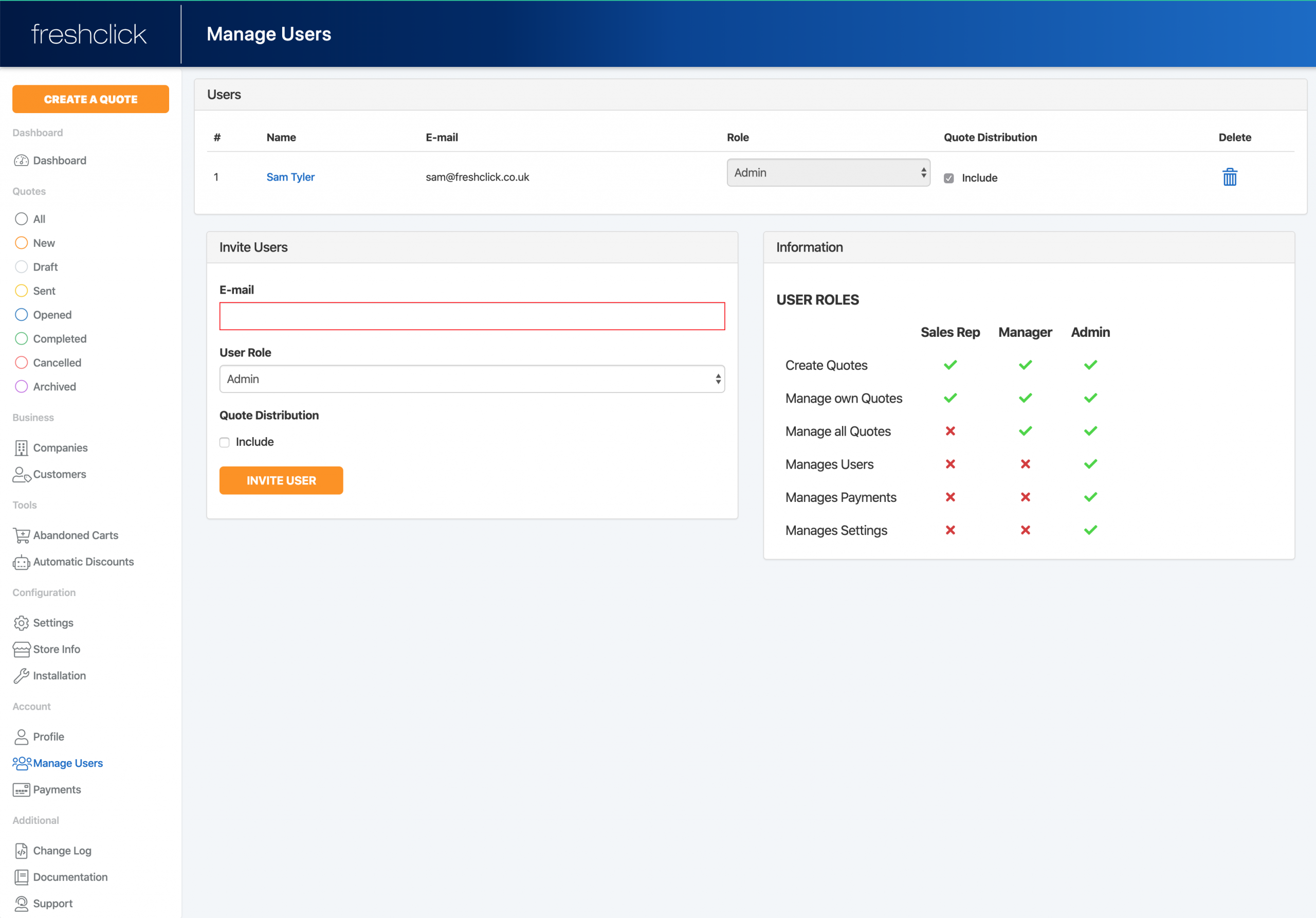
Here you can view employees that are registered on the quote system.  You can allocate them a ‘role’ which will give them access to different areas of the system. You can also include each person in the quote distribution  and you can delete them from the system.

How to add a user

Go to the ‘Invite users’ section. Here you can add an employee using their email address and allocate them a role.

You can also include them in the quote distribution system. If an individuals name is included in the ‘Quote distribution’ when a new quote comes is received it will be automatically assigned to an employee via a round robin system.

The ‘Information’ section shows the access each user role has to different areas of the system
Related Articles
  • How to create a Quote
  • How to view individual quotes
  • Quote Status’s
  • Template Selection
  • How to install the app.

Support staff monitor the community forum and email 9 AM - 6 PM, Sunday to Friday. Please be patient when posting an issue as staff may not be in the same timezone as you.

© 2018 <a href="http://wpsmartapps.com">wpsmartapps.com</a>. All Rights Reserved.